


X, previously known as Twitter, is dedicated to empowering creators with innovative tools for audience growth. One way to create and develop an audience for your personal or company’s brand is through X (Twitter) Spaces.
By taking advantage of this live audio feature within X, creators can forge a deeper connection with their audience at a level of engagement that other social media platforms do not always hold.
Continue reading this post if you want to know about X Spaces, how to start using it, and the practical benefits of host spaces you can expect today and in the near future.
With X Spaces, you can start engaging your audience more meaningfully, right now.
Before continue: Meet the Best Tool to Increase your X Followers.
Start 15 Day Free Trial
Get daily AI-powered recommendations on who to follow, what to tweet, and which conversations to join. You act, Owlead guides. Less than 1 minute to set up.
Start Your Free Trial →What is (X) Twitter Spaces?
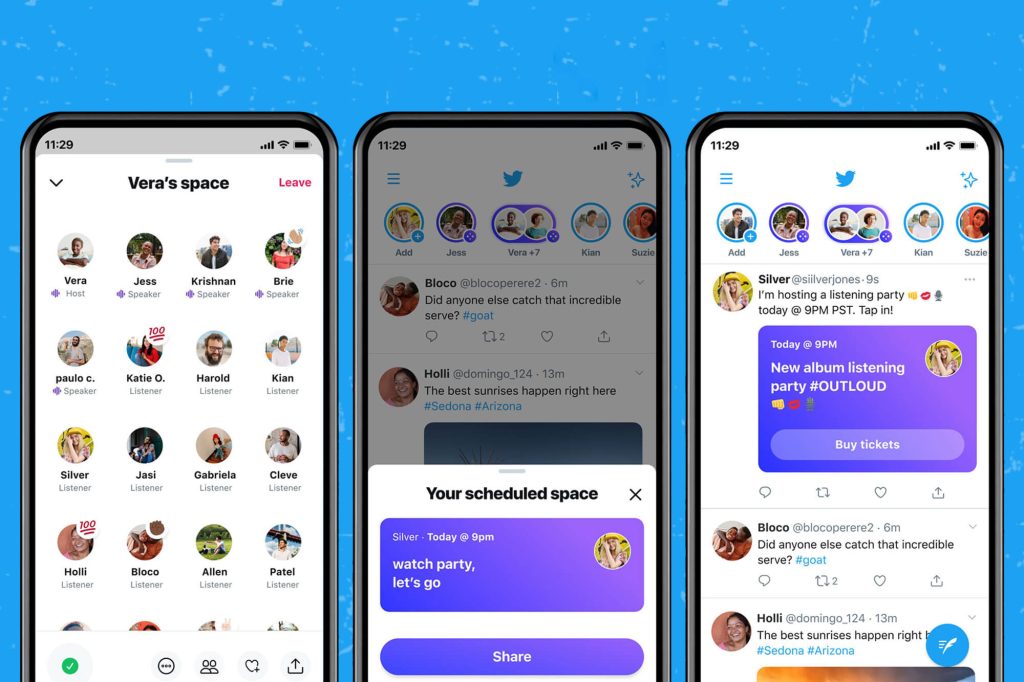
X, also known as Twitter, has a great feature called Spaces that lets users have live audio chats on the platform.
This live audio feature offers a unique opportunity for audience engagement.
You can host these chats in an audio room called a “Space” and invite others to join in, chat, and listen to what you have to say.
This is a straightforward way to build an audience and engage with them in real-time by having live audio conversations.
Here are some essential things to know:
- Anyone can join, listen, and talk in a Space on X for iOS and Android.
- Spaces are public, so anyone can join as a listener, even those who don’t follow you.
- Right now, you can only listen in a Space on the web, not speak.
- If you have 600 or more followers, you can host and schedule a Space on Twitter (X).
- Spaces are open to people and businesses, helping them make more personal connections with their audiences.
- Up to 13 people (including the host and 2 co-hosts) can talk in a Space at the same time.
If you’re on Crypto Twitter or OnlyFans, recording this audio discussion should be part of your strategy to grow on X.
Why use X Spaces? Main advantages

The key to growing your audience is to listen, speak directly, and truly understand them.
X Spaces takes this to the next level by giving you direct insights into your audience’s interests and feedback on your content.
The best part is that there’s no need to limit your thoughts to a character limit.
You can speak through this live audio for as long as you want and receive real-time responses from your audience in these spaces.
And since Spaces are public, it’s a great way to connect with new audiences.
All this brings the opportunity to have more open conversations with your community, and when you have a past list of scheduled spaces, you’ll notice how your audience grows.
If you haven’t built a community yet or don’t have your niche, X Spaces can help you create one.
And, of course, X spaces can help you grow organically on Twitter.
How to start a Space on X?
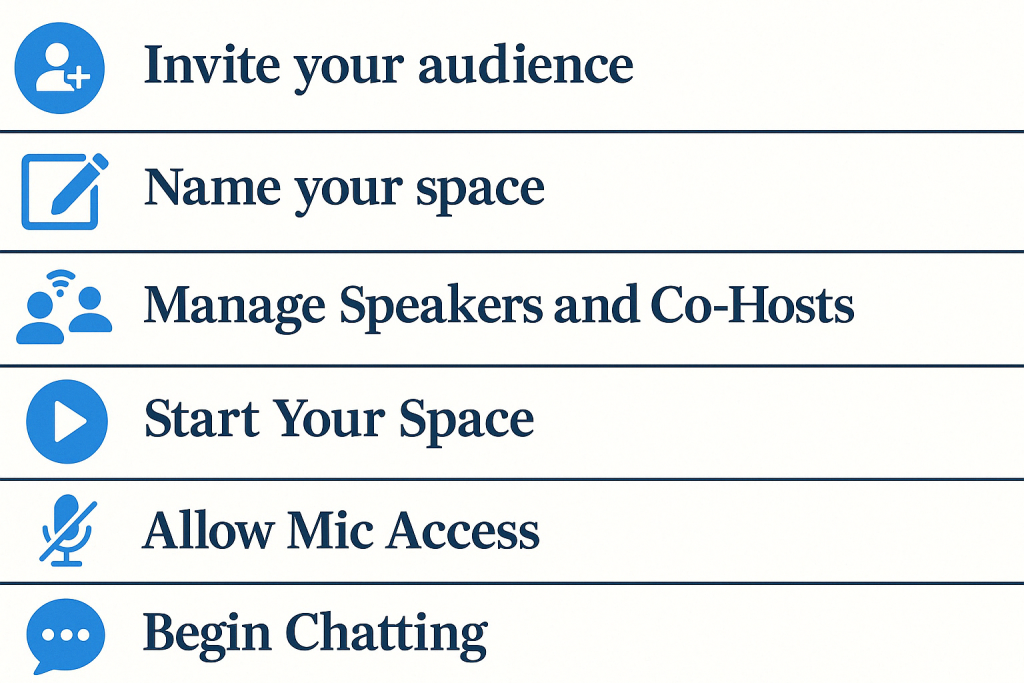
At the moment, you can only initiate an X Space from the Android or iOS app.
If you’d like to create an audience with Twitter Spaces, please follow these steps:
- Step 1: Start
As the creator or host of a Space on iOS or Android, begin by long-pressing on the post composer from your home timeline and selecting the Spaces icon.
Alternatively, you can start a Space by tapping the Spaces tab at the bottom of your timeline.
This way, you can schedule and later start recording these live audio conversations.
- Step 2: Invite your audience to listen
Listeners can be directly invited into a Space by sending them a link via direct message, posting the link, or sharing it elsewhere.
- Step 3: Name your space
When creating a new Space, you will have the option to name it, add some topics, and then start it.
- Step 4: Manage Speakers and Co-Hosts
Once the Space has started, you, as the host, can invite listeners to become co-hosts or speakers. Your listeners can also request permission to speak by selecting the request icon below the microphone.
- Step 5: Start Your Space
As the host, you will join with your microphone off and be the only speaker in the Space. When ready, select “Start your Space.”
- Step 6: Allow Mic Access
Enable speakers to use their microphones by toggling the “Allow mic access” to the on position.
- Step 7: Begin Chatting
Once everything is set up, you can start chatting in your Space.
Following these steps, you can effectively create and manage engaging Spaces on X with your audience.
As a Host or Speaker, you have these additional features:
- Control your speakers: If necessary, you can mute them, remove them from the Space, or block them.
- Pin post to the Space: This is a helpful feature to spotlight your discussion topic.
- Enable captions while speaking: This will improve accessibility for listeners who cannot listen or like captioning.
- Schedule a Space for Later: Select “Schedule for later” and choose the date and time it will go live.
- Record Space: Switch this option on or off based on whether you want to record the Space.
How to join a Twitter Space?
If you want to join X Space and be part of an open discussion, follow these steps.
On mobile
Upon opening the X mobile app, navigate to the Spaces tab in the left-side menu, accessible by clicking on your profile image in the top left corner. Here, you can:
- View ongoing, trending, and upcoming Spaces
- Add upcoming Spaces to your calendar
- Access live Spaces from your main timeline.
Upon selecting a Space, you will be able to:
- See the title and main topics of the Space
- View the hosts, co-hosts, and other speakers at the top
- Observe the number of current live listeners at the bottom.
On desktop
Currently, you can only listen to a Space on your computer if you have the link to it.
Anyone with the link can join, and you can obtain it from the share options in your X app.
What can you expect from Twitter Spaces in the future?
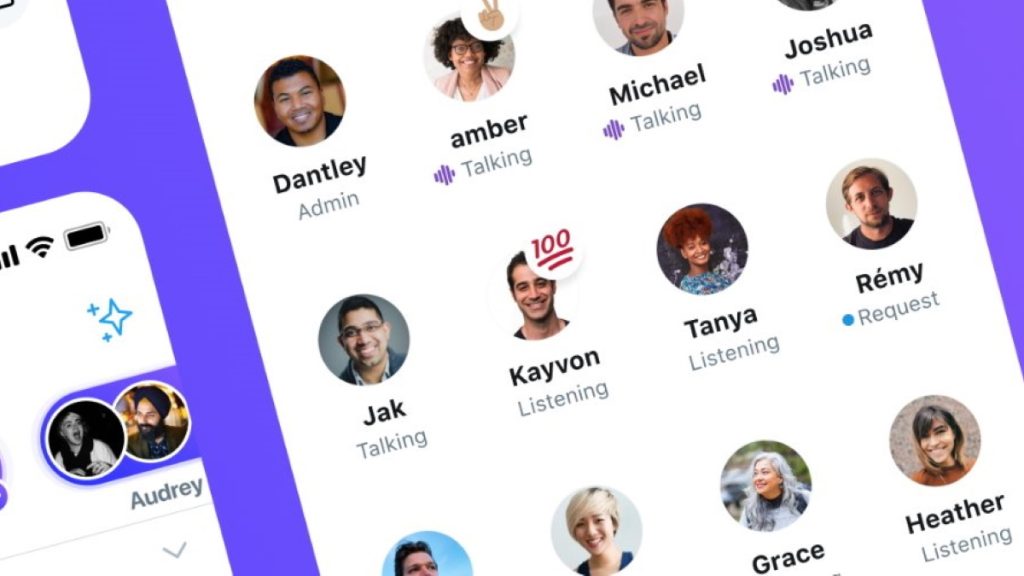
X continues to enhance the Space feature, empowering creators to establish industry authority by hosting discussions on trending topics, inviting industry influencers as speakers to their events, and promoting this audio feature to their users.
Live conversations are gaining more relevance as people seek immediate feedback from their favorite creators, fostering a sense of engagement and connection.
Content creators can also get access to closer insights and analytics of their audiences.
Looking ahead, introducing Ticketed Spaces will likely provide a means to monetize Spaces, starting with premium users.
With this new feature, listeners can gain exclusive access to conversations.
Once live, creators will create Spaces with a limited number of seats and charge a fee for participation in the conversation.
If you want to learn more X statistics, we have an article right here.
Conclusions
Twitter (X) Spaces provides a powerful channel for interacting with your followers in real-time and developing genuine connections with them.
Hosting a Space allows your audience to engage with your business and gain deeper insights into your brand. Similarly, it allows you to learn more about them, leveraging this understanding to enhance your service or product offerings.
Conversations within Spaces can encompass various topics, including customer service, live Q&A sessions, feedback forums, and more.
Leading brands utilize X Spaces for major announcements, pulling closer to their audience.
You can do the same to expand your audience. The best part? With this newfound knowledge, you can start right away.