


Imagine you wake up, enjoy your morning coffee, and try to log into Twitter/X to see what’s new on Crypto Twitter.
The problem? You can’t access your account because your password isn’t working.
When you ask your partner to check your account on their phone, you notice several random tweets on your profile that you would never post.
Your Twitter account may have been hacked if you notice clear signs, but these are not the only signs to watch for.
As you know, what you say on Twitter, now X, can affect your personal and business brand.
Identifying whether your Twitter account is hacked, or preventing this from happening, can protect your brand from a PR crisis that could damage your community and the hard work you’ve put into your Twitter account.
Fortunately, Owlead provides a guide on how to know if your Twitter account was hacked and how to prevent it.
Keep reading to keep your X account safe.
Signs that your Twitter/X account has been hacked
If your Twitter/X account has been compromised, you’ll likely pick up on it pretty quickly.
Someone may reach out to you as soon as they notice something unusual, or you might realize it on your own.
Here are several signs that could indicate your Twitter account has been hacked.
Unauthorized tweets

If you notice a sudden spike in tweets on your account that you don’t remember posting, your account might be hacked.
Check these posts carefully. Hackers often take over accounts to send phishing emails or spam links.
These messages may try to trick you with offers of financial rewards, including common scams about Bitcoin.
You may encounter posts advertising dubious websites, lotteries, or scams designed to exploit users.
Strange activity

If you see multiple direct messages in your account that you didn’t send, or if your account is suddenly following many unknown accounts, you may have unauthorized access.
To check your activity, go to the Apps and Sessions section in the X app.
This will show your recent activity and the locations where you logged in.
If you notice any logins from unfamiliar countries, consider it a serious warning that your account could be compromised.
Unexpected notifications
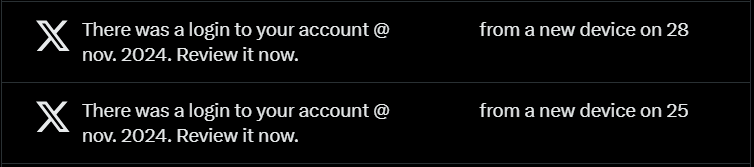
Twitter sends you notifications when there’s an issue with your account, such as a failed login attempt or a change to key settings.
For instance, you’ll receive alerts if you reset your password or if someone tries to log in without success.
If you receive these notifications but didn’t change anything or have a failed login, act quickly.
Lose Access to your Twitter Account
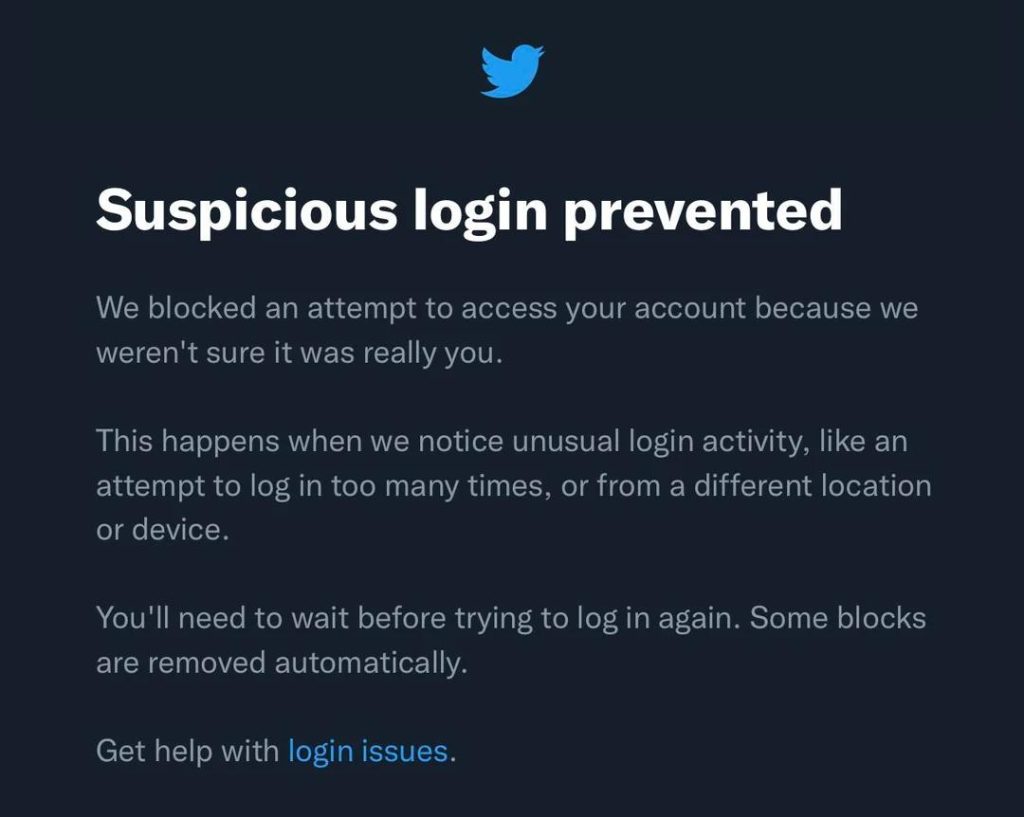
If you open Twitter and see that you are logged out, it could mean someone else has accessed your account.
A cyberattacker might have used your email or username and password to log in. They may have changed your password and settings.
If you try to reset your password but don’t receive an email from Twitter, it likely means the attacker has also changed the email linked to your account.
This is concerning because it shows you can’t access your account, and the attacker might now have full control.
What to do if your Twitter account is hacked
If your Twitter account gets hacked, it can be really scary.
We understand the time it takes to grow your account in a niche using effective strategies, including Twitter/X Spaces and threads.
Losing all your hard work may feel devastating.
You need to act quickly to fix the issue.
Follow the steps below to regain access to your account and start over.
Reset your Twitter password
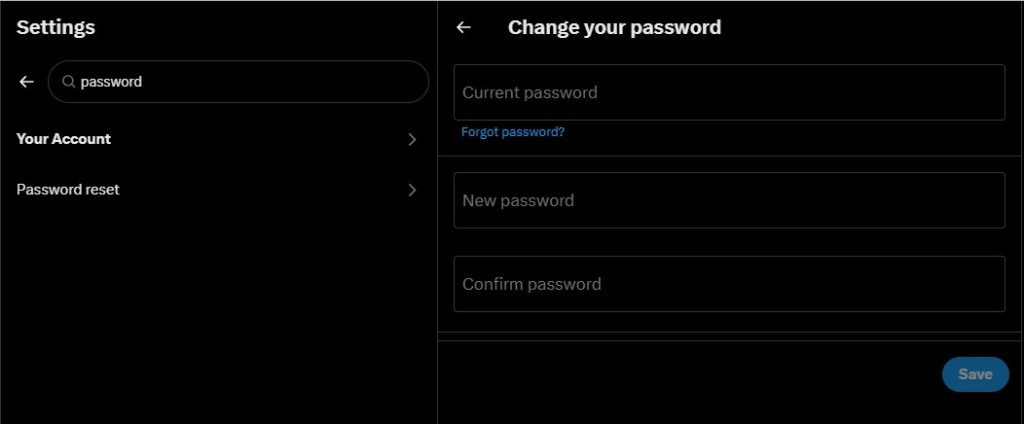
Change your password right away. You can do this from the Password tab in your settings:
- If you are logged out, go to Login and click on Forgot Password to reset it.
- You need to provide an email address or phone number to receive a confirmation code.
- Once you enter the code, you can set a new password.
- Make sure your new password is strong.
- Use a mix of upper and lower-case letters, numbers, and special characters.
Changing your password will not log you out of the X app on iOS or Android. To log out, sign in online and go to the Apps section in your settings.
From there, you can remove access for the app. The next time you open it, you’ll need to enter your new password.
If you often get password reset requests that you didn’t ask for, you can set your account to require your email address or phone number to reset your password.
Keep your email address secure
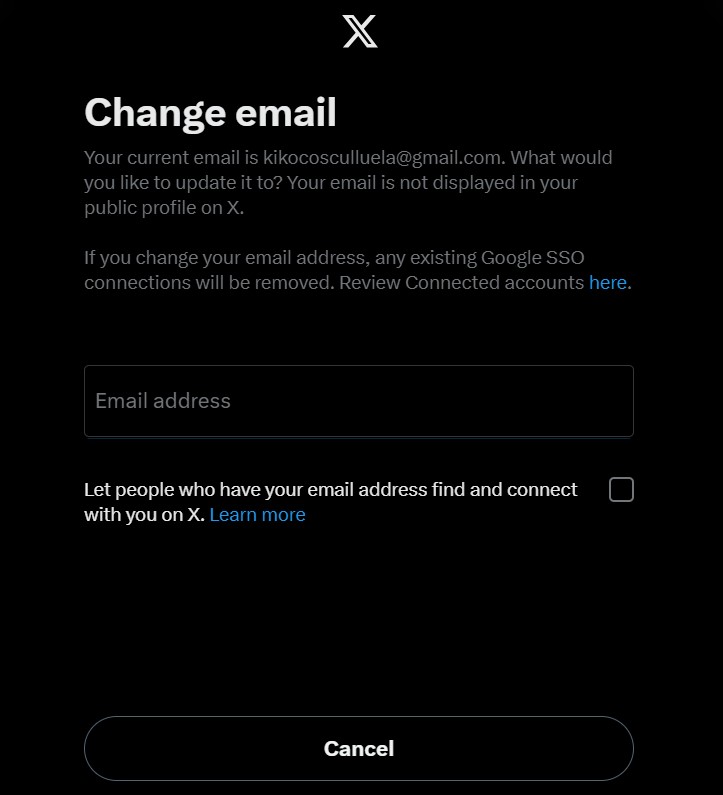
You can update the email address linked to your account using the X app or by logging in on X.com.
To do this, go to Account settings by clicking the “more” icon, then select Settings and Privacy.
Click on Your Account, then Account information, and enter your password.
Next, click on Email and type your new email address in the Email field.
Finally, click the Save button at the bottom of the page. X will email you to verify the change and will ask you to log into your account afterward.
Update your password in your trusted third-party applications
Third-party apps are created by external developers and are not owned by X.
When you connect one of these apps to your X account, you allow it to access your account.
Depending on the permissions granted, the app may read your posts, view your followers, update your profile, post on your behalf, access direct messages, or see your email address.
If you’re uncomfortable granting access, click “cancel” on the authorization page.
You should regularly review the third-party apps that have access to your account.
You can manage and revoke access in the “Apps and Sessions” section of your account settings.
If you still need help, contact Twitter / X.
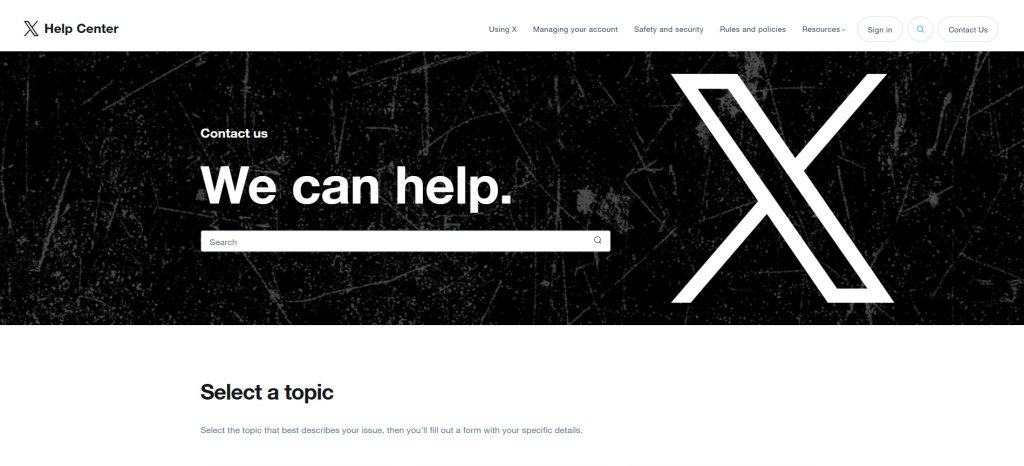
If you still can’t log in after resetting your password, please contact Twitter / X by submitting a Support Request.
Use the email address linked to your compromised X account, and we will send you more information and instructions there.
When you submit your request, include your username and the last date you accessed your account.
Steps to protect your Twitter / X account.
Getting back into your Twitter account is just the first step to keeping your online presence safe.
Next, you need to create a plan to protect your account over time.
Start by using good cybersecurity practices in your daily online activities.
Here are some helpful tips to consider as you work on this.
Turn on 2FA
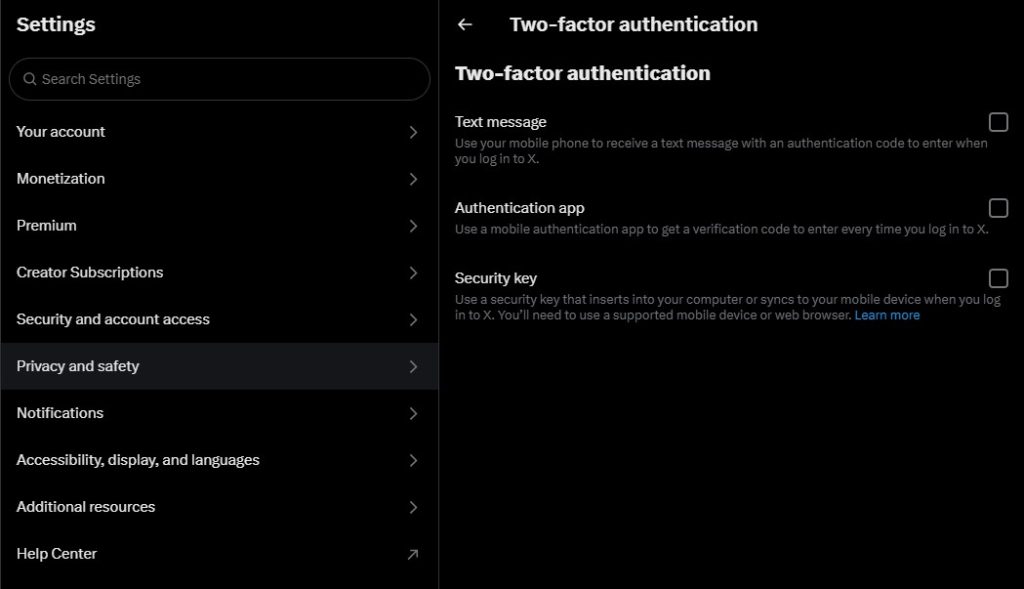
Activate 2-factor authentication on your Twitter account to make it harder for hackers to change your password and lock you out.
You can choose to receive a text message, use an authentication app, or a security key.
Use a strong password
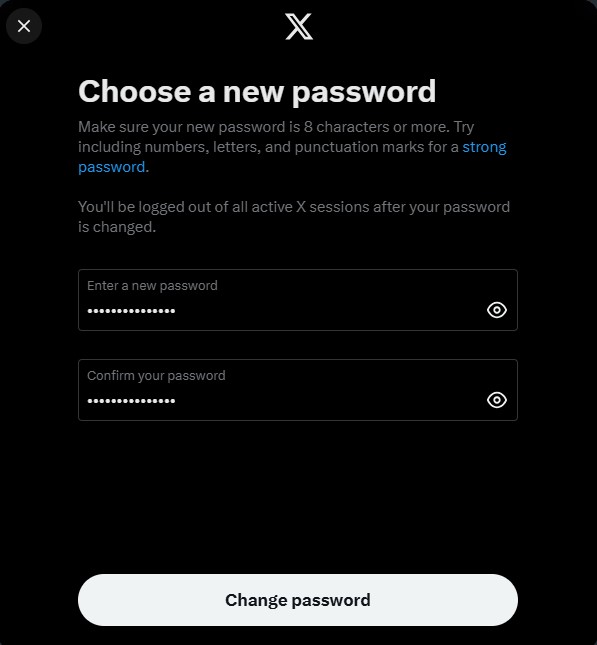
Create long, strong passwords using a mix of letters, numbers, and symbols. Avoid using dates, names, or passwords that are easy to guess.
Don’t share credentials
Keep your login information private. Don’t share it with anyone, even people you know. Their cybersecurity may not be as strong as yours.
Watch out for phishing emails
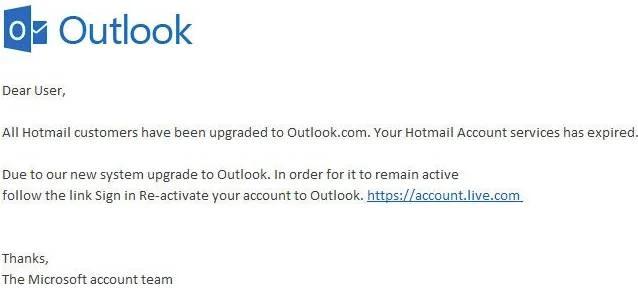
Be cautious about clicking on links in emails or text messages, as they may put your information at risk. Never give personal information or login details to anyone who asks for it without first checking.
Conclusion
A hacked X account can cause serious problems.
Staying in touch with safe cybersecurity practices can help you avoid stress and learn how to check if your Twitter account has been hacked.
More people are using platforms like OnlyFans, working on personal branding, and engaging on Crypto Twitter. As a result, cyberattacks are happening more often.
The steps mentioned above will not only assist you in identifying if your Twitter was hacked but also guide you in protecting your account against future cyber threats.