


Are you wondering how to remove content warning on X? We´ll take care of that.
One feature that many users encounter is content warnings, which are designed to alert viewers to potentially sensitive material. However, there might be instances where you wish to remove or modify these warnings for various reasons.
In this guide, we’ll walk you through the process of removing content warnings on X, ensuring that you can manage your content with greater control. Whether you’re a casual user or managing a professional account, these straightforward steps will help you customize your content settings effectively.
PS: Follow the yellow marked options in every step to make sure you’re doing the right thing 👍
Let’s get started!
Step 1: Click on “More” at the end of the menu
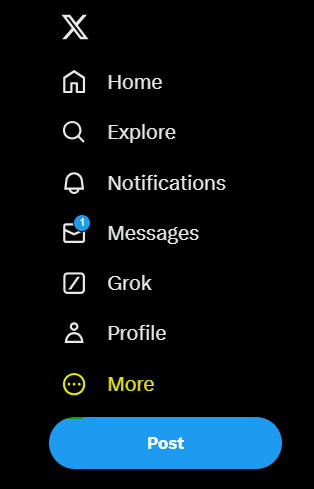
Step 2: Go to “settings and privacy” at the bottom of the list
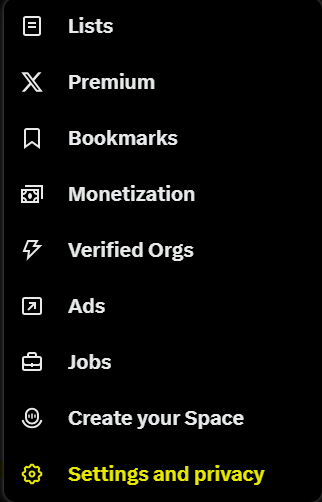
Step 3: After entering the settings menu, just click on where it says “privacy and safety” to open the 4th step.
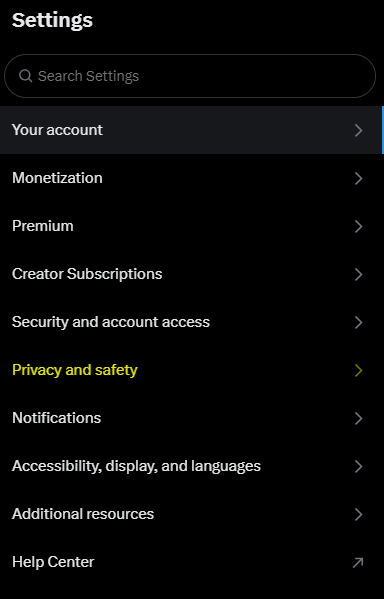
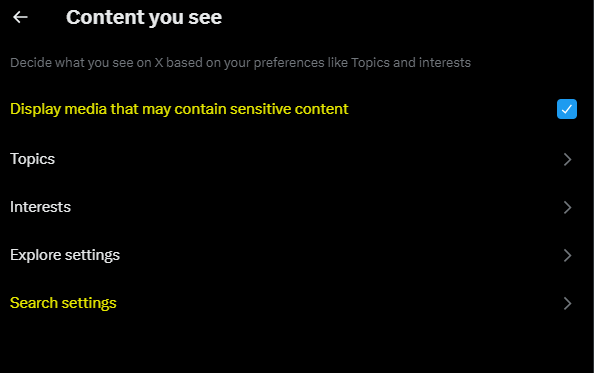
Step 4: Once you are on the privacy and settings page, select the “content you see” option marked below.
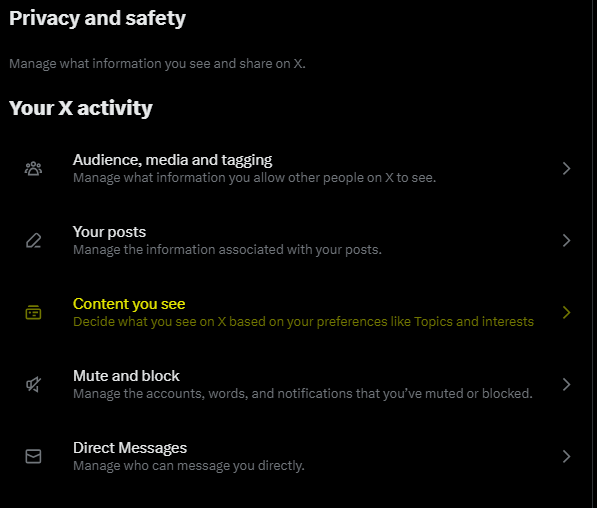
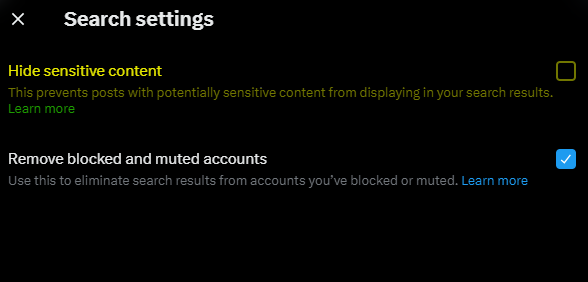
Step 5: Turn on “Display Media that May Contain Sensitive Content” and Tap on Search Settings.
Step 6: Now turn off the mark next to “hide sensitive content” and you’re ready to go!
We hope this guide has clarified the process of removing content warnings on X and helped you navigate your content management with ease.
If you have any further questions or run into any issues, don’t hesitate to reach out for additional support or visit How to Remove Followers on X and How to Mute Words on X