


Do you want to know how to embed video on Twitter? then this is the place to be.
Embedding videos on Twitter is a great way to enhance your tweets, making them more engaging and visually appealing. Whether you’re sharing original content, reposting a video from another user, or embedding a tweet on your website, videos can help you capture attention and convey your message effectively.
How to embed video on Twitter / 𝕏 in 2025
Understanding the different methods to embed videos ensures that your content reaches a wider audience and aligns with your social media strategy. Because of it, in this article, we’ll guide you through the various ways to embed videos on Twitter, whether you’re using a desktop or mobile device.
1. Uploading your own video:
- Click the “Tweet” button (on desktop) or the “Post” button (on mobile).
- Tap the photo/video icon and select the video you want to upload from your device.
- Add a caption if desired.
- Click “Post” to post it, and it should look like this:
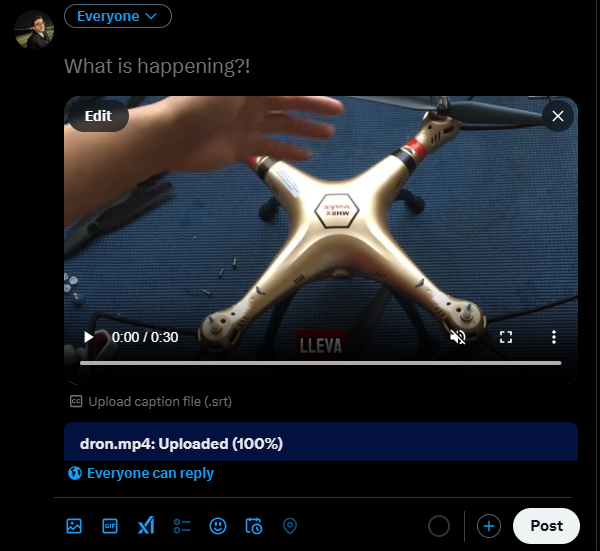
2. Embedding Someone Else’s Video (Without Retweeting):
If you want to share a video from another account without directly retweeting the whole post, follow these steps:
- Find the tweet with the video you want to share.
- Tap the share icon.
- Select “Post video”
- Create a new tweet and paste the copied link.
- Add your own comment or context, then post it.

3. Embedding via Twitter’s Website (For Blogs/Websites):
If you want to embed a Twitter video on your website or blog:
- Go to the tweet containing the video.
- Click the three dots on the top-right of the tweet and select “Embed Tweet.”
- Copy the generated HTML code.
- Paste the code into your website’s HTML to display the video.

We hope this guide on How to Embed Video on Twitter has given you the knowledge and confidence to share videos more effectively on the platform.
Thank you for taking the time to read our article! We appreciate your interest and hope you found these tips useful. Stay tuned for more insights and guides to help you make the most out of your Twitter presence