


You’re probably asking: “How can I change my X / Twitter handle?”
Your Twitter (or X) handle is more than just a username—it’s a key part of your online identity and how others recognize you on the platform. Whether you’re rebranding yourself, switching to a new name, or simply want to refresh your presence, understanding what a Twitter handle is and how to change it can make a big difference.
In this guide, we’ll explain what a Twitter handle is and why it matters, providing you with a step-by-step walkthrough on how to update it.
What is it?
A Twitter handle is your unique identifier on Twitter, which is used to mention or tag you in tweets and to find your profile. It starts with the “@” symbol followed by your chosen username.
It’s how people find and interact with you on the platform, each handle is unique to a specific account, so no two users can have the same handle. This uniqueness helps ensure that mentions and replies are directed to the correct person.
How to change it?
PS: As always, follow the yellow to guide you. 🟡
Step 1: The “more” option at the bottom is the key.
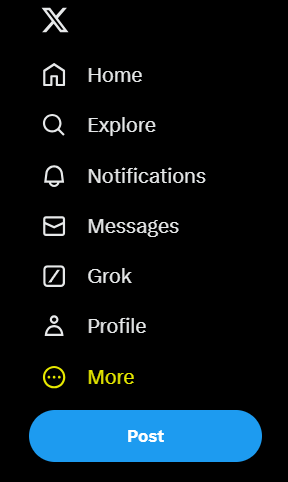
Step 2: “Settings and privacy” is what you’ll need at this stage.
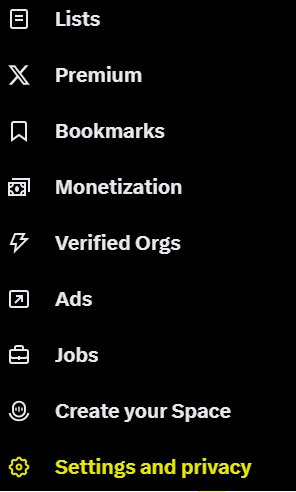
Step 3: Once there, just click on the yellow-marked one “your account”
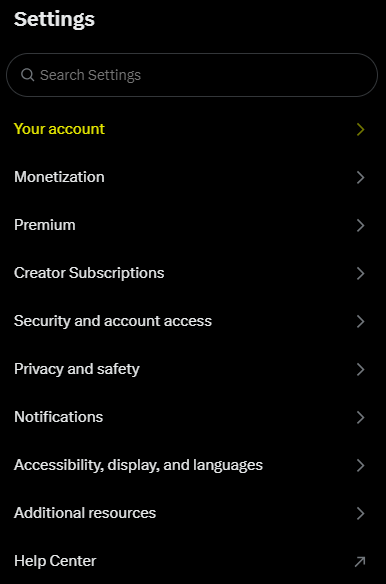
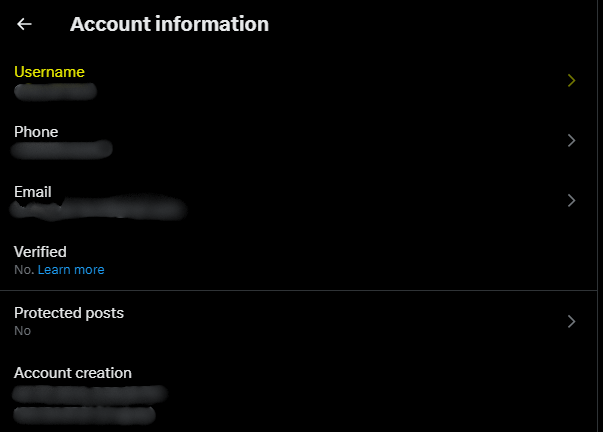
Step 4: Click on “account information”, the first one in the list.
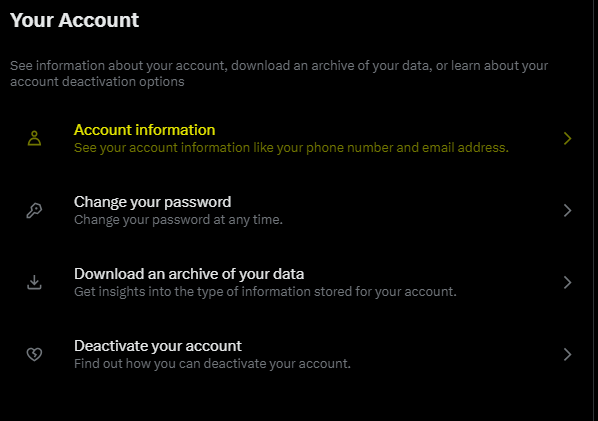
Step 5: Select the first option where it says “Username” and below you’ll have your current @
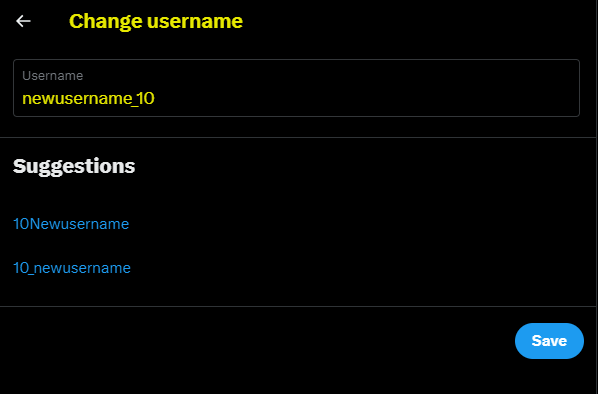
Step 6: Finally, just change to the username you want (if it’s free to use) and click on “save” at the bottom.
With your new knowledge of Twitter handles and how to update them, you’re now ready to make adjustments that enhance your online presence. If you ever feel lost, just follow the yellow and it will help you reach out the step-by-step guide and make your X account more personalized.
Thank you for following along! 🤝