


How do I link my Twitter to OnlyFans? find out here
OnlyFans is a popular subscription-based platform where creators share exclusive content with their fans. From fitness coaches and artists to influencers and entertainers, OnlyFans offers a space to monetize unique content while building a closer connection with your audience.
Connecting these two platforms lets you promote your OnlyFans content directly to your Twitter audience, increasing visibility and engagement.
In this guide, we’ll walk you through the steps to link your accounts, maximize your reach, and ensure your content strategy runs smoothly.
Let’s get started!
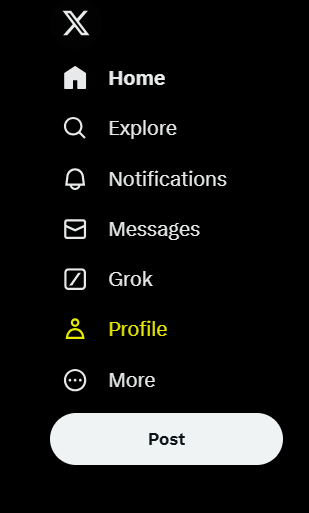
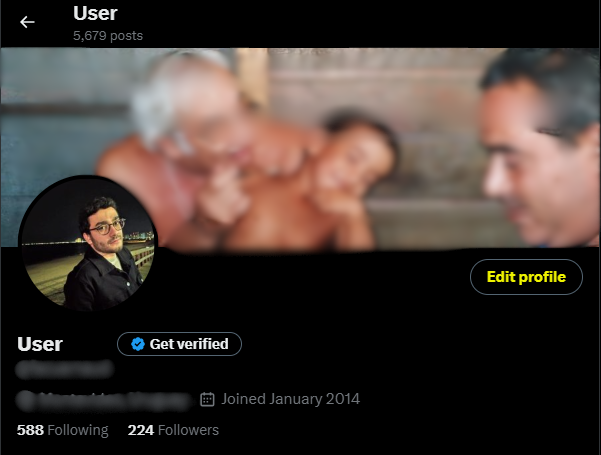
PS: Make sure to follow the yellow-marked aspects.
Step 1: Go to your Twitter profile
Step 2: Go to the Edit Profile button
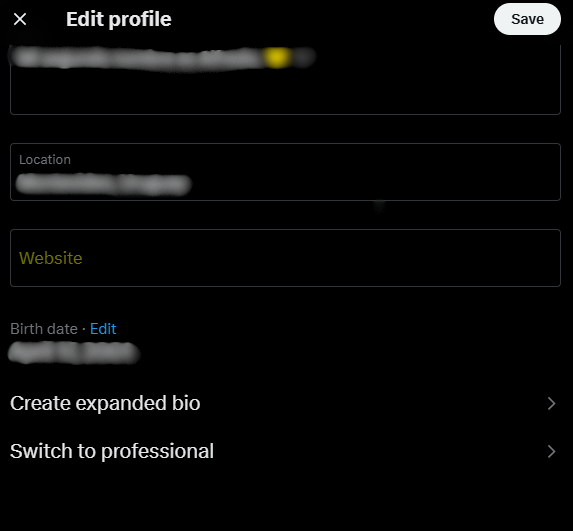
Step 3: Click on “Website” and paste or write the link to your Onlyfans account and save on the top
We hope this guide has been helpful in linking your Twitter account to OnlyFans and optimizing your content strategy. At Owlead, we’re committed to providing you with practical tips and insights to grow your online presence.
Thank you for taking the time to read this article! We look forward to seeing you in future posts, where we’ll continue to share valuable content to support your journey. Until next time! 🤩